Hugo Worfklow
Table Of Contents
TLDR
This is what I do to create a blog that is user-friendly in terms of UI/UX, bandwidth-efficient, and far from bloatware.
Base
-
Configure config.toml
-
Use ngrok to test before deploying.
Create an account to remove the session limit for tunnels, then copy the authtoken and connect using the following command at the command prompt:
ngrok config add-authtoken <token>Using two tabs, I run the following command to use ngrok and hugo:
ngrok http 1313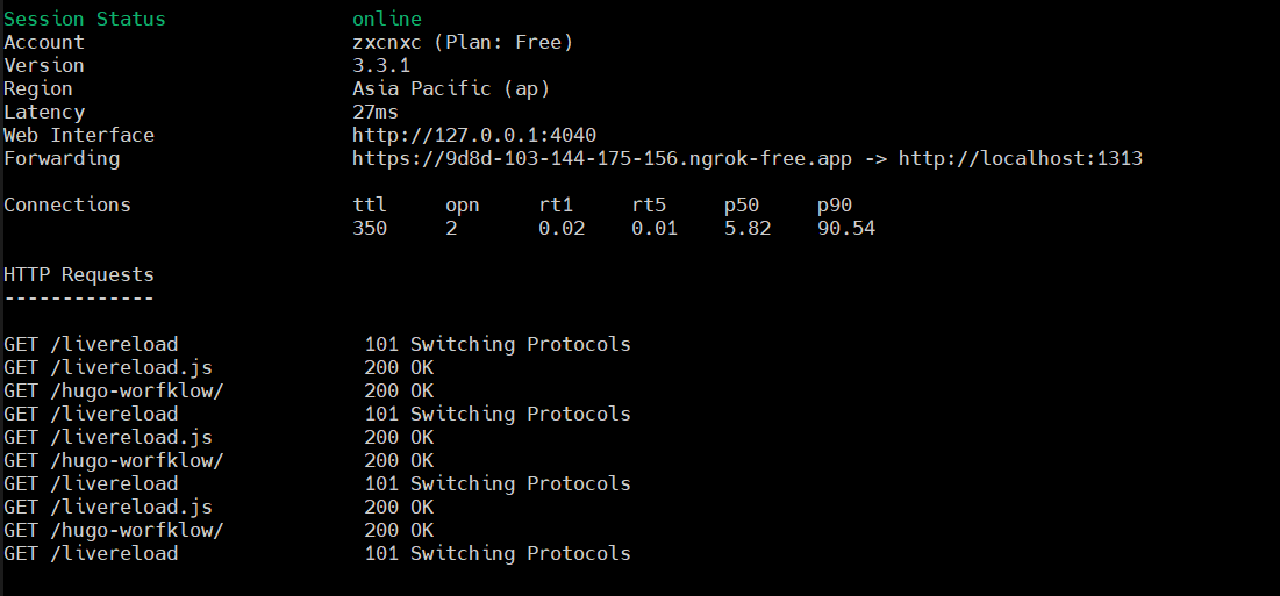
hugo server -b https://COPY-FORWARDING-URL-FROM-NGROK --appendPort=false --liveReloadPort=443 --navigateToChanged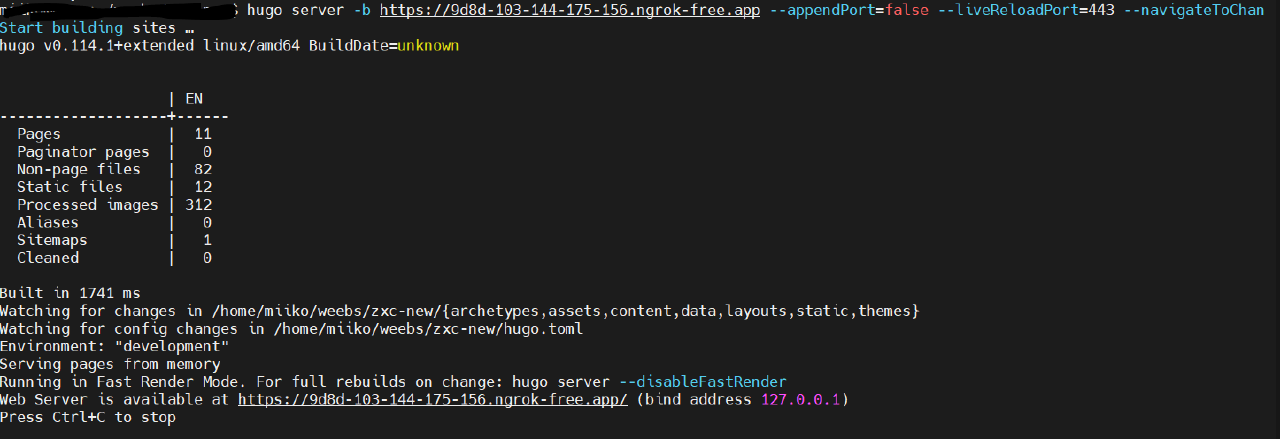
-
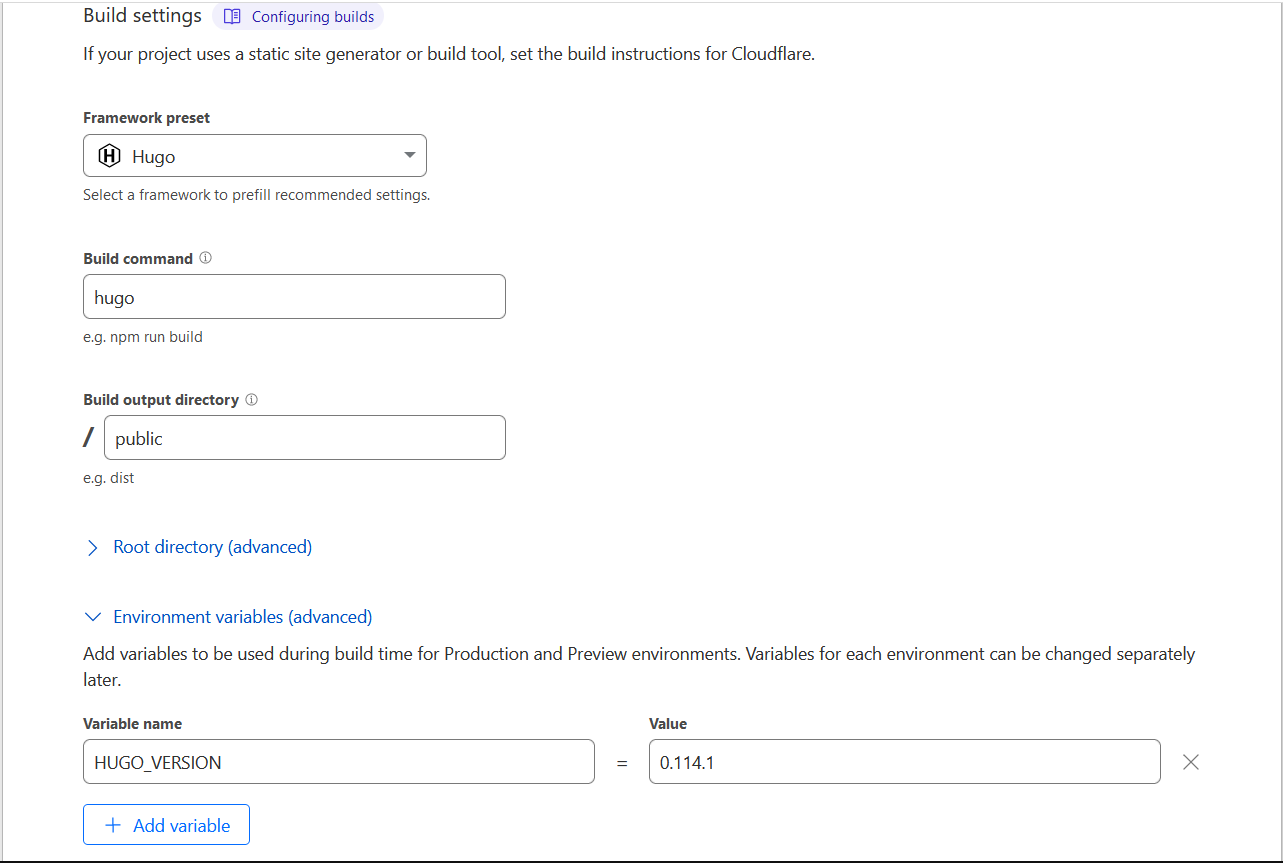
Deploy to Clouldflare pages
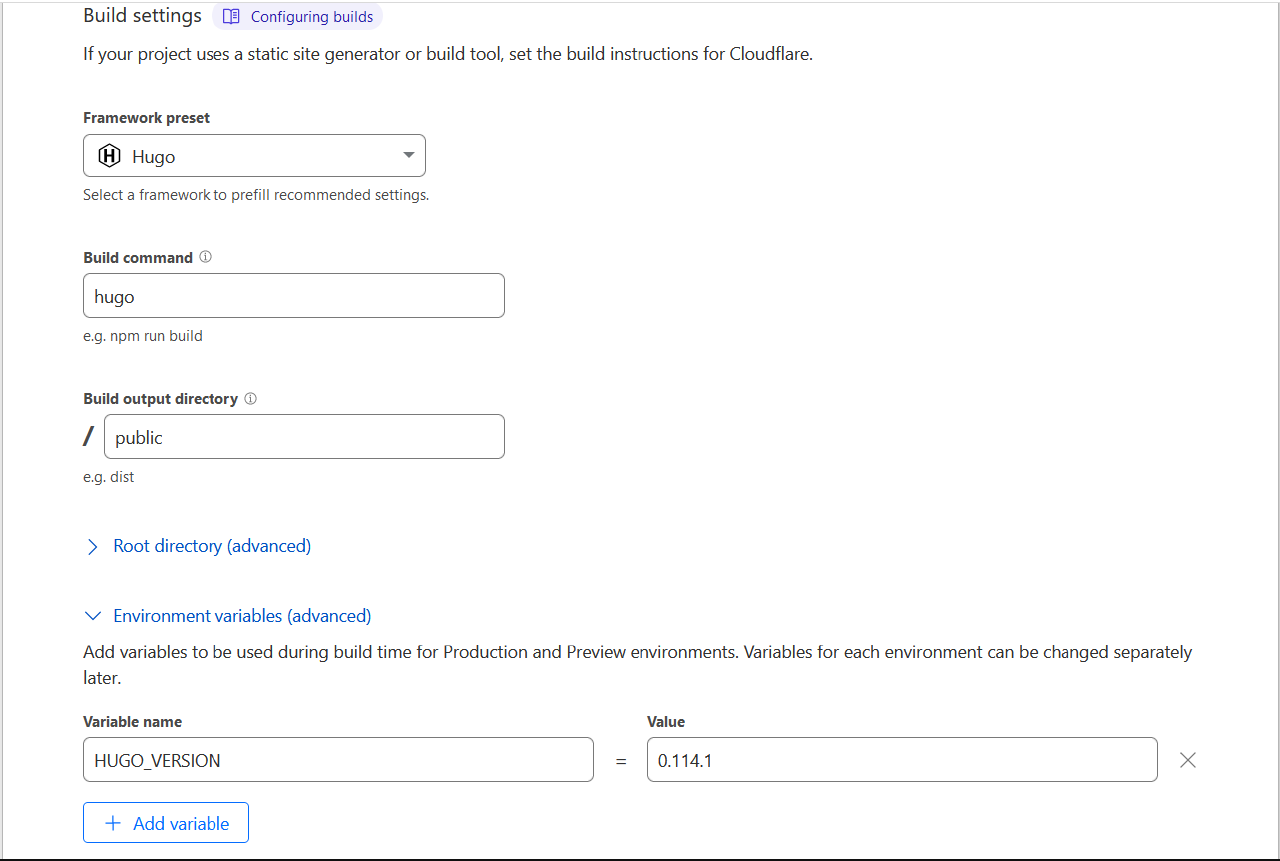
Here are the build settings for this hugo blog
-
Profit??!!

Modification
These are the custom shortcodes on my website:
- bundle-image.html
To change images automatically and to delay the loading of specific webpage elements, particularly images, until they are required.
{{ $altText := .Get "alt"}}
{{ $caption := .Get "caption"}}
{{ with $.Page.Resources.GetMatch (.Get "name") }}
  {{ $image := .Resize "1280x" }}
  <figure>
    <a href="{{.RelPermalink}}">
      <img
        loading="lazy"
        srcset="
          {{ (.Resize "320x").RelPermalink }} 320w,
          {{ (.Resize "600x").RelPermalink }} 600w,
          {{ (.Resize "1200x").RelPermalink }} 2x"
        src="{{ $image.RelPermalink }}"
        alt="{{$altText}}"
      />
    </a>
  </figure>
{{ else }}
  could not find image
{{ end }}
- table_of_contents.html
Hugo itself has a built-in TOC, but I’d prefer a little more customization.
<div>
  <h2>Table Of Contents</h2>
  {{ .Page.TableOfContents }}
</div>
Summary
If there are any updates to this blog, this post will be updated as well. Let’s call it a changelog.